
Your Guide to Tablets
What are the main specifications and features you need to check before buying a tablet? Here is a guide to help you make the right decision!
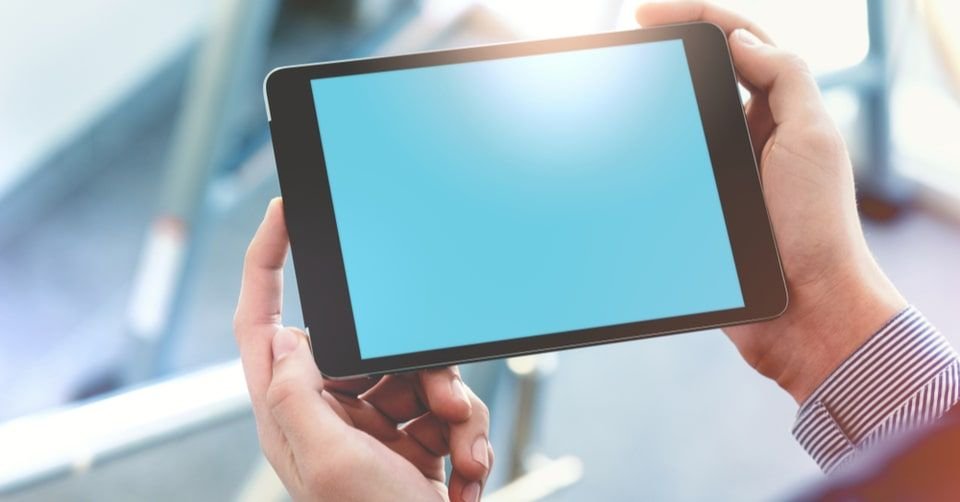





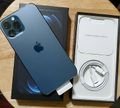
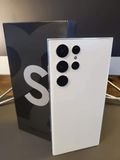
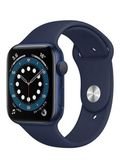
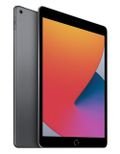
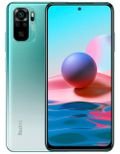
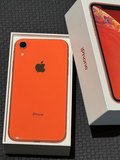
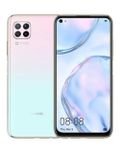
With all the Technological Advancements we are witnessing, it has become harder to make a decision when trying to buy any electronic device. When it comes to buying tablets, people might wonder if they should buy a Tablet or a smartphone with a big screen!
However, some people want to own a Tablet since the biggest smartphone screen available now is 6.0 inches and their needs require having a tablet.
Tablets are easy to use and can multifunction; the ability to carry multiple functions at the same time like listening to music, watching movies, reading (books, magazines, emails, news, documents, etc…), internet browsing, editing documents, and many other features making them a desired device.
If you decide on buying a tablet, we will help you through this article by listing the different features and specifications you need to check before making a purchase!
Learn Your Needs to Make A Smart Decision!
Before listing the specifications and features of tablets, the main question you need to ask yourself: “Why do I need a tablet?” Or “What do I want to use a tablet for?”
If you are looking to replace your PC or Laptop with a tablet, then you need a high spec tablet but there are some businesses that require having a computer or PC and having a tablet does not replace them. If you need a tablet to watch movies while travelling or browsing the internet then a medium spec tablet will be good.

Determining your need is considered one of the most important aspects when choosing a tablet, and then considering your budget. This is because the tablet’s price does not determine its quality and specifications. Many factors affect the price such as the brand, external storage, maps, communication, internet use, and other features.
After deciding why you need a tablet, you need to decide what type of system operator you want to use (Andriod, iOS, or Windows) since the operating system differs between tablets. When you choose an operating system, you will further pinpoint the tablet you will purchase.
Specifications
After determining the tasks you wish to perform through the tablet and choosing the operating system, you need to check the specifications and features! You need to check the screen size, camera, storage, internet connectivity, sim card availability, ability to add additional storage and many other specifications.
Screen Size and Resolution
Generally, small tablets have a screen size between 6.0 and 8.3 inches, medium sized tablets have a screen size between 8.9 to 10.0 inches, and large tablets have a screen size of 10.1 inches and above.
The screen size will affect the type of tasks you want to carry but that does not mean that all tablets perform important tasks and the screen size might affect the type of tasks performed.
A tablet between 7 to 10 inches is good to take notes during lectures and at work.
As for people who want to watch movies, then a tablet with a screen size of 10 inches or more will be good.
Tablets less than 7 inches or more than 10 inches are not popular worldwide. This is because people believe that if the size is less than 7 the tablet will be similar to smartphones and sizes more than 10 is similar to a mini laptop. However, there are few people who prefer smaller or bigger sizes.
After choosing a screen size, you need to check the screen’s resolution. For an average user, a resolution of 800x1280 pixels is good, but if you need higher quality, then a tablet with a resolution of 1080x1920 pixels will be better.

Note: more than 95% of tablets have touchscreens and so there is no need to check this feature.
Performance: Processor and RAM
If you want the tablet to use applications and new games, we advise you to get a quad-core processor; and generally, the faster the processor, the better the performance. You also need to check the RAM storage; where you have to make sure you do not get a tablet with a RAM less than 2 GBs.
Internet Connectivity
There are different choices of tablets now as some supports 3G and 4G and some does not support either. However, all tablets can be connected to the internet via Wi-Fi, and they all support Bluetooth and GPS.
If you need continuous connection, you need a tablet that supports Sim cards. If you only connect via Wi-Fi, whether at work or at home, then that will not be a problem. Note that tablets that do not support Sim cards are much cheaper.
Camera and Battery
Most tablets have rear and front cameras. The front one is mostly used when making a video call or taking selfies while the rear camera is used to take normal pictures and videos. It is better to get a high quality camera and not settle for a resolution of 1.3 MP.
As for batteries, the power differs from one tablet to another. Make sure you check the capacity written on the box and choose what you need. We advise you to get a good battery and to follow instructions of the first charge to ensure it keeps working at its optimum performance.
Storage
Internal storage also differs from one kind to another. It usually ranges between 2 GB and 32 GB. Users usually store movies, music, games, books, and files on tablets, and what really differentiates between tablets is the ability to add an additional SD Card.
The operating system usually takes up to 20% of the storage. Make sure you get a bigger storage so you can have more files and applications.
Summary: Four Main Things you need to Check!

First: Purchasing the correct tablet will surely save you money. It is very important to decide what you will use the tablet for as some tasks needs to be carried by a laptop or desktop.
Second: After determining your needs, you need to decide the operating system. The available systems are Android, iOS, and Windows. Once you make your decision, you will be directed towards a certain brand thus making it easier for you.
Third: Choose the specifications you need to perform the tasks you want.
Fourth: Once you make a decision, go to the store and check the tablet up close so you make the wisest decision.
After reading through this article, you can make a smart decision when buying a new tablet. Do not forget to visit Labeb to learn about all the new updates and improvements of the Tech World.
Remember you can always compare products and check the cheapest prices at Labeb.com!
- [[PropertyDescription]] [[PropertyValue]]


